A lot of business owners know they should be creating more video content.
The problem?
Not everyone wants to stand in front of a camera.
Maybe you’re uncomfortable speaking on video. Maybe you don’t have the time to set up lights, record multiple takes, and edit everything afterward.
Or maybe you simply looked at your camera one day and thought:
“Do I really have to do this every week?”
The good news is — no, you don’t.
Being comfortable on camera can definitely help, but it’s no longer a requirement for building a strong video presence online.
There are now several ways to turn your ideas, products, photos, and even existing content into videos without filming yourself.
And that opens up some interesting possibilities for small businesses.
Start With the Message, Not the Video Format
This is something we believe strongly at GoVideoMaker.
Before deciding whether you need an AI avatar, product footage, animation, or anything else, ask one question:
What does the viewer need to understand?
For example, if you’re selling a physical product, people probably want to see the product being used.
If you’re explaining a service, clarity may matter more than cinematic visuals.
If you’re creating a 20-second social media video, you may simply need a strong hook, several interesting visual changes, and one clear message.
The format should support the message.
Not the other way around.
1. Turn Your Product Photos Into Video
Already have good photos of your products?
That’s a starting point.
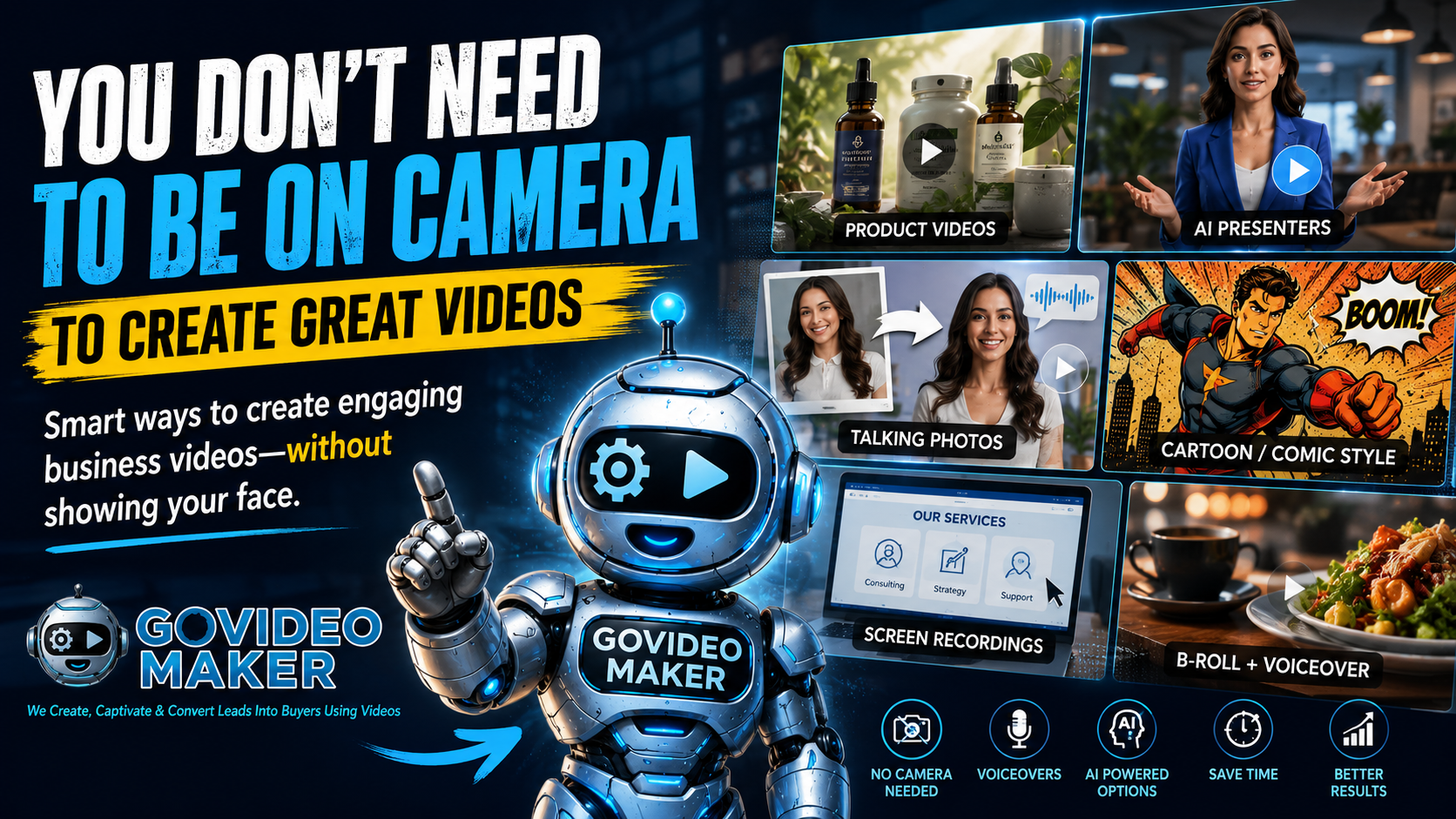
Instead of leaving them as static images, they can be incorporated into short promotional videos using movement, transitions, close-ups, captions, voiceovers, and in some cases AI-generated motion.
This can be especially useful for businesses that already have a library of product photography but very little video footage.
You don’t necessarily need another photoshoot every time you want something new to post.
2. Use Product Footage Without Showing Your Face
Sometimes the simplest approach is still one of the best.
Show the product.
Show someone using it.
Show the result.
Add a voiceover, music, captions, and a clear call to action.
That’s it.
Your face doesn’t have to appear anywhere.
For certain products, this can actually work better because the product remains the focus of the video.
3. Let an AI Presenter Explain It
This is where things have become much more interesting.
AI presenters and avatars can now deliver a script without requiring you to record yourself every time.
That can be useful for:
business explainers, educational videos, FAQs, product introductions, announcements, tutorials, and social media content.
But there’s an important caveat.
An AI presenter doesn’t automatically make a boring script interesting.
The message still needs to sound natural.
The pacing still matters.
And the presenter should actually make sense for the brand and audience.
We see AI presenters as another production option — not a replacement for every type of video.
4. Make Your Photos Talk
This one would have sounded pretty strange several years ago.
Today, it’s possible to animate a still photograph and create a talking-photo style video.
That opens up some creative possibilities.
A business owner can create a spokesperson-style presentation from a photograph. A character can introduce a story. An existing visual can become part of an explainer.
It won’t be appropriate for every project.
But when used intentionally, it can turn an otherwise static asset into something much more engaging.
5. Tell the Story With B-Roll and Voiceover
You don’t even need a presenter.
Some of our favorite video concepts start with a simple voiceover and let the visuals tell the rest of the story.
Imagine a restaurant video.
Instead of somebody talking directly to the camera, you might see:
the food being prepared, ingredients going into the dish, close-ups of the finished meal, customers enjoying it, and the restaurant atmosphere.
A voiceover connects everything together.
The same approach can work for hotels, real estate, salons, professional services, ecommerce products, and many other businesses.
6. Use Screen Recordings When the Screen IS the Story
If you’re demonstrating software, a website, an app, or an online process, sometimes there’s no reason to put a person on screen at all.
Show people exactly what they need to see.
Record the screen.
Highlight important actions.
Add narration.
Keep it moving.
A clear demonstration will often communicate more than several minutes of somebody simply talking about the feature.
AI Gives Us More Choices — Not Fewer
This is probably the part of AI video creation that excites us most.
It’s not about replacing every camera.
It’s not about turning every business into an AI-generated movie.
It’s about having more ways to communicate an idea.
Sometimes real footage is the right answer.
Sometimes it’s animation.
Sometimes it’s an AI-generated scene.
Sometimes it’s a talking photo.
Sometimes it’s simply a screen recording with a good voiceover.
And sometimes you absolutely should get in front of the camera.
The important thing is that you’re no longer limited to that one option.
Don’t Let the Camera Stop You From Publishing
If avoiding the camera has been the reason you’re not creating videos for your business, try changing the question.
Instead of asking:
“How am I going to film this?”
Ask:
“What’s the easiest way to show this idea clearly?”
That’s a much better place to start.
Because ultimately, your customers aren’t waiting to judge your camera setup.
They’re trying to understand what you offer, why it matters, and whether it’s right for them.
Give them that answer.
The video format can come afterward.
Have an Idea but Not Sure What Type of Video You Need?
Tell us what you’re trying to promote or explain.
We’ll help you figure out a practical way to turn it into video — without forcing you into a format that doesn’t fit your business.
Create Better Videos, One Useful Idea at a Time.
Get practical video marketing strategies, AI video tips, and creative inspiration delivered to your inbox.

You May Also Like